
Support tickets
Keep customer requests, replies and completed work together.
Support tickets
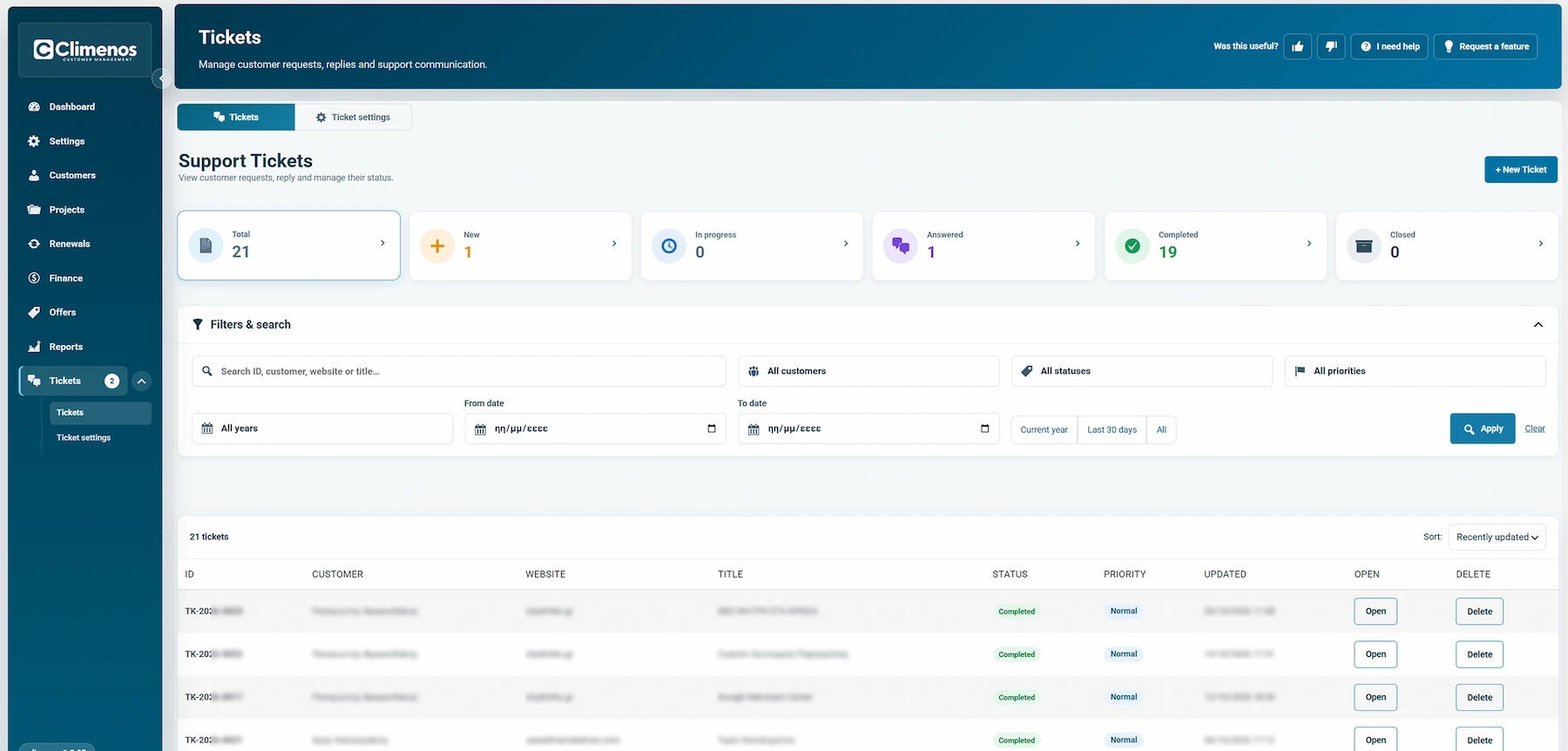
Tickets contains the request list and a Settings subview. Both the customer and an administrator can start a request. A ticket keeps the subject, customer, website, priority, messages and attachments in one conversation. Statuses are New, In progress, Answered, Completed and Closed; priorities are Low, Normal, High and Urgent.
The administrator can create a ticket on behalf of a customer by selecting the customer, website, title and priority, then writing a message and optionally attaching files. Administrator-only ticket keeps it out of the customer dashboard. Send email notification to customer controls whether the customer is notified immediately for that creation. Administrator-only labels help organise the list without exposing internal tags to customers.
In Ticket settings, you may enable automatic deletion of Completed and Closed tickets after a chosen number of days (the displayed starting value is 365). Leave this off if you need to retain closed conversations. New and in-progress tickets are not included in that deletion rule.
Customers can open and reply to requests in their portal when that area is available to them. The administrator receives notifications according to Notifications. A customer reply and an admin reply remain in the same ticket; use the status to show whether further action is needed.
The compact reply composer supports voice recording, speech-to-text dictation, multiple attachments and optional rich-text formatting. After a successful reply, the message, recording and selected files are cleared together.
See Manage a request and Support hours.