Customer profile
Navigate the complete customer record and its tabs.
Customer profile
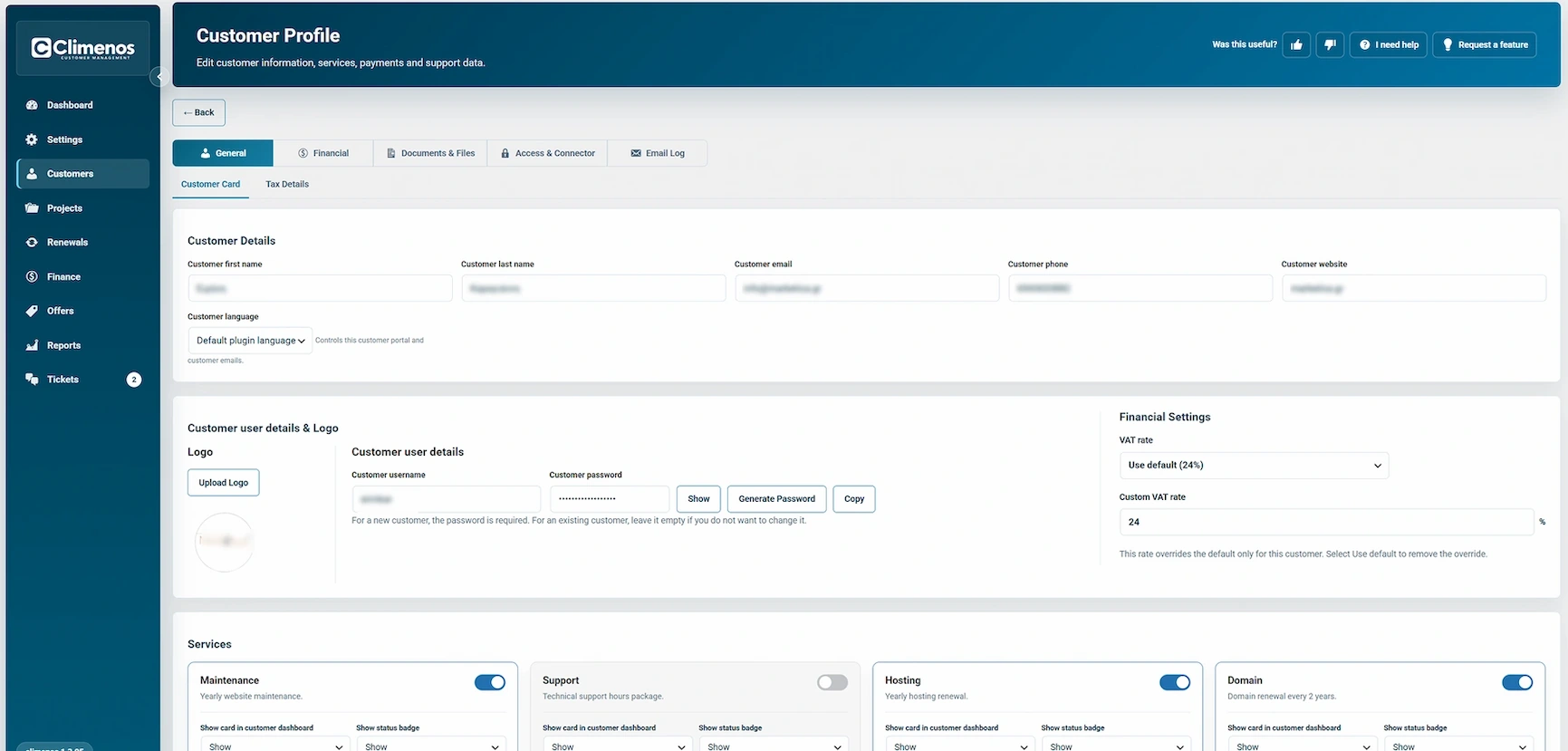
Open a customer to work in five groups:
- General: Customer Card and Tax Details.
- Financial: Financial Agreement and Payment History.
- Documents & Files: Contract, Project Files and Invoice History.
- Access & Connector: Customer Credentials and Connector Settings.
- Email Log: Email history and Settings.
Some groups appear only after the customer has been saved. The profile also highlights open tickets and active projects so you can jump directly to work needing attention.
Customer Card
Maintain contact name, email, phone, website, language and logo. The portal user area links the profile to the customer who signs in. The logo and language can affect what the customer sees and which language supported emails use. A wrong website or email can make pairing or delivery fail even if the rest of the profile is complete.
Tax Details
Choose whether to use the general VAT setting or a customer-specific rate. This is the place for a genuine customer exception; service prices remain net amounts. Review the displayed totals after changing a rate.
The Services cards also appear in the general profile. They are explained in Services and Custom services. Save the customer after edits; opening another tab does not itself commit changes.