Finance
Read business income, expenses and net results by period.
Finance
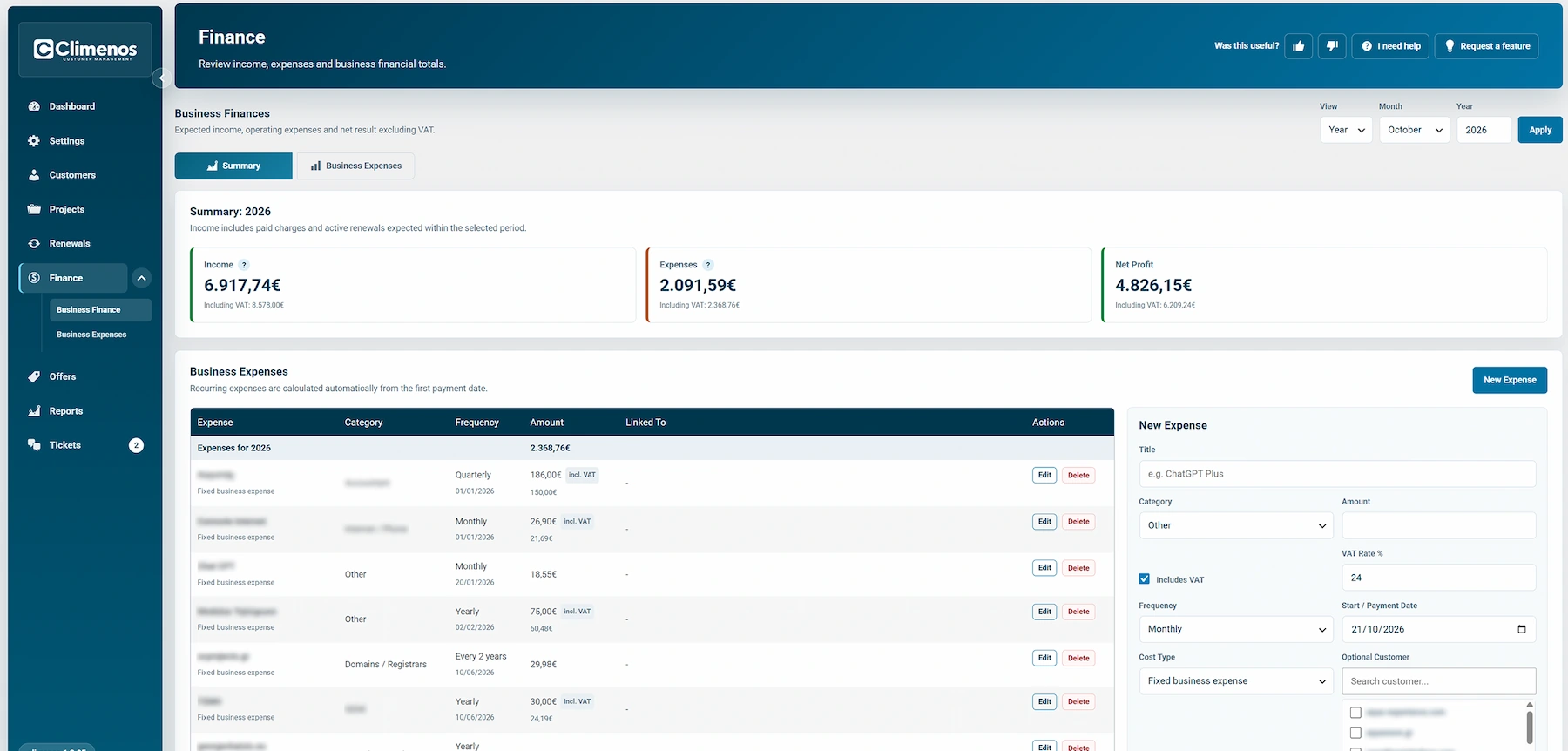
Finance has Business Finance and Business Expenses views. Choose a month or year, then apply the period filter. The summary shows expected income, expenses and net profit excluding VAT, with corresponding totals including VAT. Its income view includes paid charges and active renewals expected in the selected period; expired services and pending hourly-support payments are not treated as collected income. Use the underlying payment records when you need to confirm cash received.
The Expenses area lists title, category, frequency, amount, any customer/service connection and actions. Add a new expense with its title, net and total amount, VAT rate, first date, frequency and fixed/variable type. You can associate it with customers or services where appropriate and mark it active. Recurring expenses are calculated from their first payment date; check the selected period when reviewing totals.
This is an operational view, not a replacement for your accounting records. A customer's Financial Agreement, service price, Renewals, Payment History and a sent Offer each answer a different question.